需求说明
uniapp开发支付宝小程序授权用户信息和用户手机号码过程中,与微信小程序的API是有所不同的,相同是都是需要<button></button>点击事件触发。接下来简单说明一下支付宝小程序授权用户信息和用户手机号码的方法。
完成需求
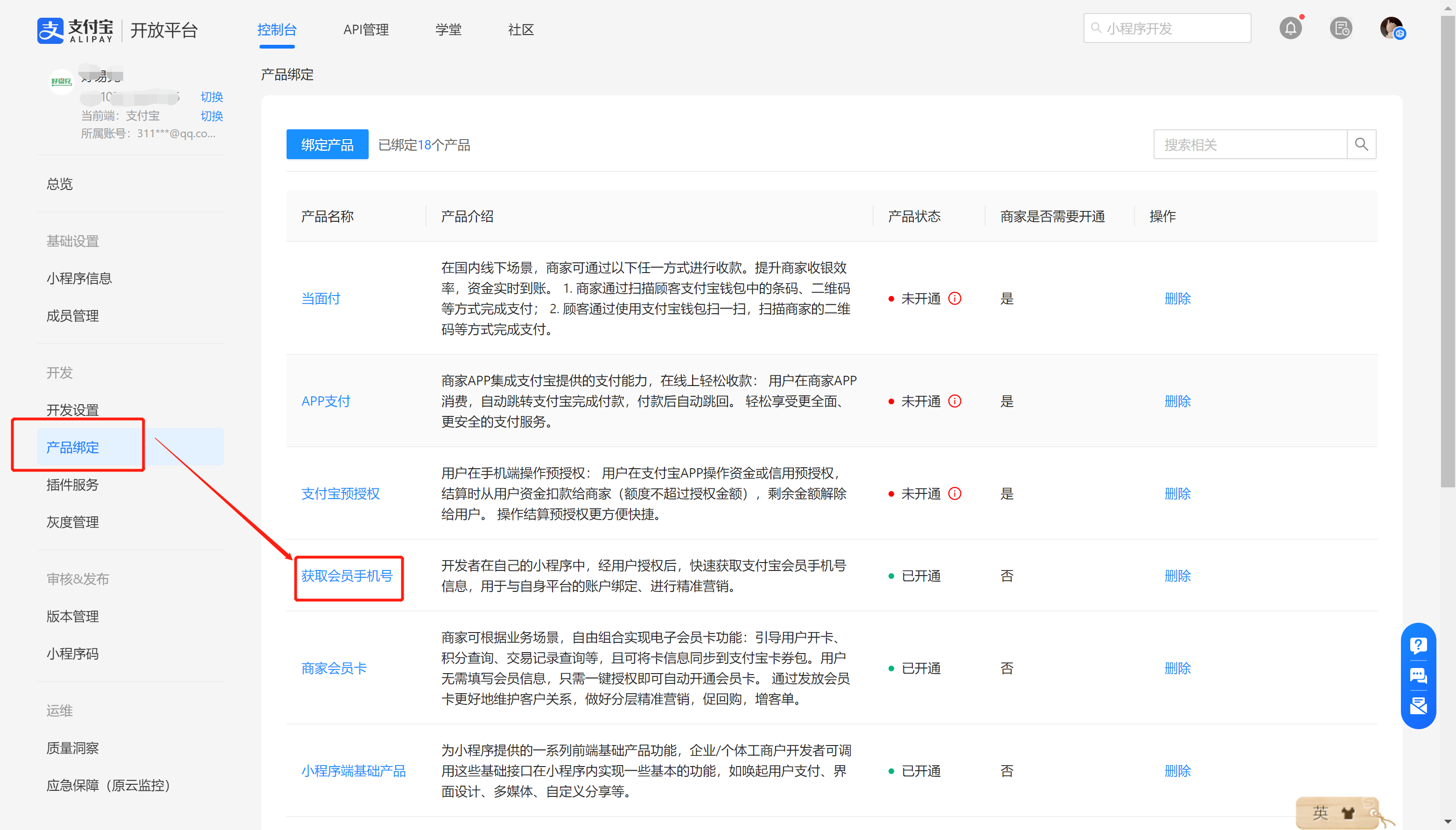
授权用户手机号码前,需要先在支付宝开放平台—>控制台—>产品绑定,绑定产品 – 获取会员手机号
用到的API:uni.getOpenUserInfo,uni.getPhoneNumber
1
2
3
4
5
6
7
8
9
10
11
12
13
14
15
16
17
18
19
20
21
22
23
24
25
26
27
28
29
30
31
32
33
34
35
36
37
38
39
40
41
42
43
44
45
46
47
48
49
50
51
52
53
54
55
56
57
58
59
60
61
62
63
64
65
66
67
68
69
70
71
72
73
74
75
76
77
78
79
| <template>
<view style="padding:30rpx">
<u-navbar title="演示" :is-back="false" />
<button style="margin-top:100rpx" open-type="getAuthorize" scope="userInfo" @getAuthorize="getOpenUserInfo" @error="getInfoError">
个人信息授权
</button>
<button style="margin-top:100rpx" open-type="getAuthorize" scope='phoneNumber' @getAuthorize="getPhoneNumber" error="getPhoneError">
手机号码授权
</button>
</view>
</template>
<script>
export default {
data() {
return {
};
},
onLoad() {
},
methods: {
getOpenUserInfo() {
uni.getOpenUserInfo({
success: (res) => {
let userinfo = JSON.parse(res.response).response
console.log(userinfo)
uni.showToast({
title: "授权个人信息成功"
});
},
fail: res => {
uni.showToast({
title: "授权个人信息失败"
});
}
});
},
getInfoError() {
uni.showToast({
title: "取消授权个人信息"
});
},
getPhoneNumber() {
uni.getPhoneNumber({
success: (res) => {
let encryptedData = res.response;
console.log(encryptedData)
uni.showToast({
title: "获得手机号码加密数据成功"
});
uni.request({
url: '开发者的后端服务端',
data: encryptedData,
});
},
fail: (res) => {
uni.showToast({
title: "授权手机号码失败"
});
},
});
},
getPhoneError() {
uni.showToast({
title: "取消手机号码授权"
});
},
}
}
</script>
<style scoped>
</style>
|
 图1 演示页面 图1 演示页面 |
 图2 弹出授权用户信息 图2 弹出授权用户信息 |
 图2 弹出用户手机号 图2 弹出用户手机号 |