场景描述
微信充电小程序希望在用户充电时间结束,或者用户的充电完成时。通过微信公众号的推送信息的方式,告知用户充电进程。
需求实现
基础API:
实现上面的需求用到API有:uni.getSetting()、uni.openSetting()、核心uni.requestSubscribeMessage() uniapp官方文档
- uni.getSetting():获取用户的当前权限的设置。
- uni.openSetting():调起客户端小程序设置界面,返回用户设置的操作结果。
- uni.requestSubscribeMessage():调起客户端小程序订阅消息界面,返回用户订阅消息的操作结果。
效果展示
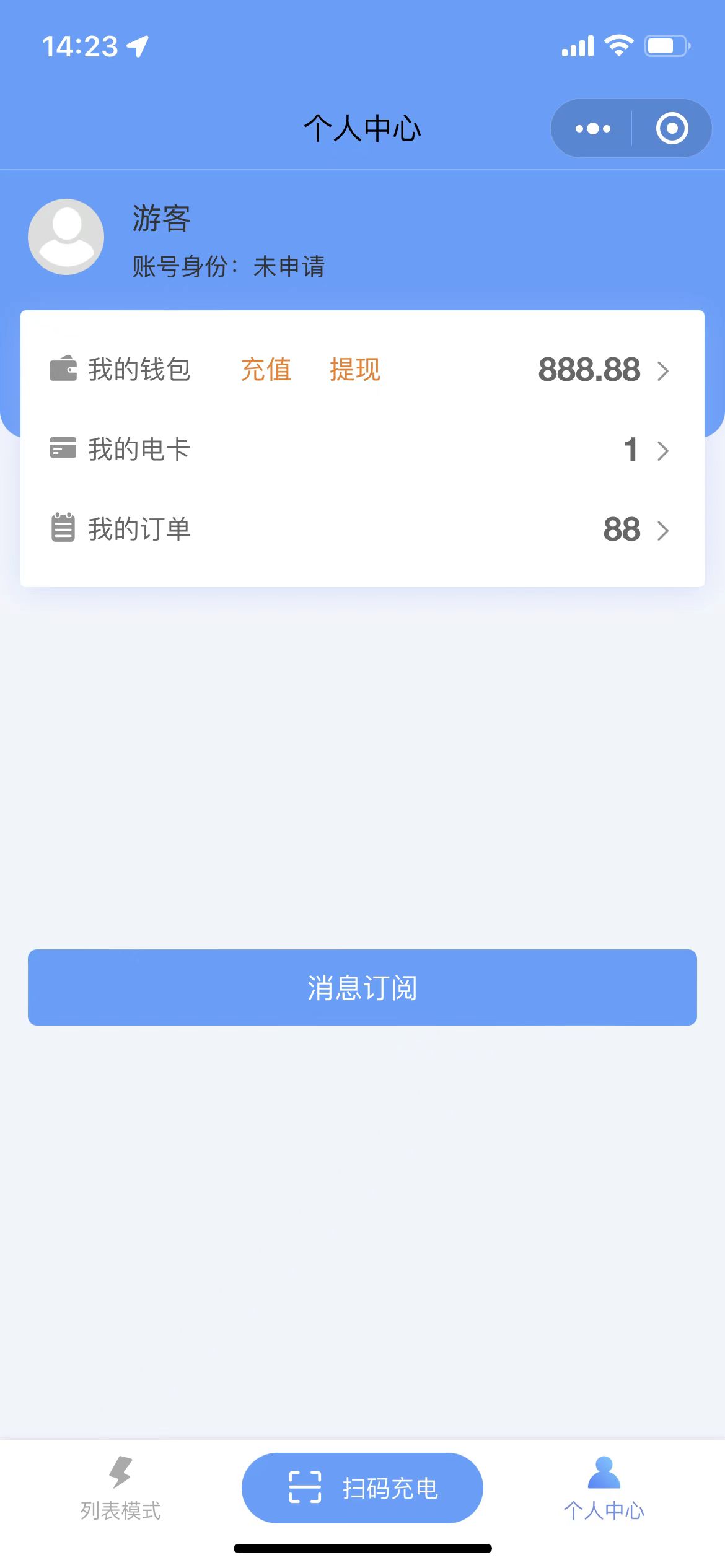 图1 消息订阅按钮 图1 消息订阅按钮 |
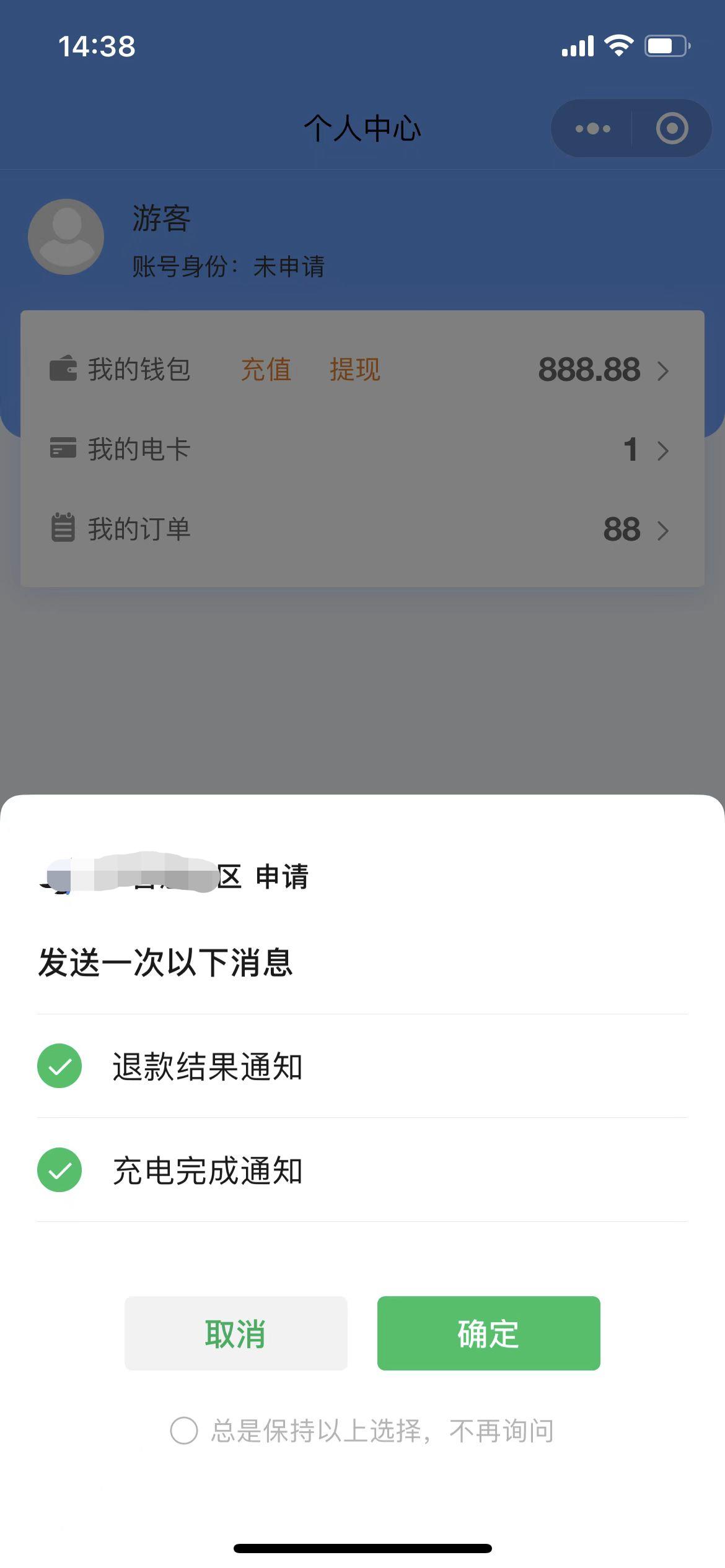 图2 弹出订阅申请 图2 弹出订阅申请 |
代码展示
1
2
3
4
5
6
7
8
9
10
11
12
13
14
15
16
17
18
19
20
21
22
23
24
25
26
27
28
29
30
31
32
33
34
35
36
37
38
39
40
41
42
43
44
45
46
47
48
49
50
51
52
53
54
55
56
57
58
59
60
61
62
63
64
65
66
67
68
69
70
71
72
73
74
75
76
77
78
79
80
81
82
83
84
85
86
87
88
89
90
91
92
93
94
95
96
97
98
99
100
101
102
103
104
105
106
107
108
109
110
111
112
113
114
115
116
117
118
119
120
121
122
123
124
125
126
127
128
129
130
131
132
| <template>
<!-- 消息订阅组件 -->
<view style="margin-top: 500rpx;padding: 30rpx;">
<u-button type="primary" @click="subscribeMessage()">消息订阅</u-button>
<u-popup v-model="showPopup" mode="center" width="650rpx" :mask-close-able="false" border-radius="18">
<div class="padding-sm">
<div class="text-center">
<div class="text-xl">订阅提示</div>
<div class="padding-xl text-letter">
{{content}}
</div>
</div>
<div class="flex justify-around">
<div class="" @click="cancelHandle">{{cancelText}}</div>
<div class="" @click="confirmHandle">{{confirmText}}</div>
</div>
</div>
</u-popup>
</view>
</template>
<script>
export default {
name: "w-subscribeMessage",
data() {
return {
showPopup: false,
content: '为了及时获取订单状态,您是否想接收订单状态的消息提醒?',
confirmText: '去开启消息提醒',
cancelText: '不需要提醒',
tmplId: ['**************************', '**************************']
}
},
methods: {
subscribeMessage(flag) {
uni.getSetting({
withSubscriptions: true,
success:(res)=> {
console.log(res)
if (!res.subscriptionsSetting.mainSwitch) {
this.showPopup = true
} else {
this.messageSubscription()
}
},
fail() {
this.messageSubscription()
}
})
},
confirmHandle() {
if (this.confirmText == '确定') {
this.messageSubscription()
return
}
uni.openSetting({
withSubscriptions: true,
complete:(res)=> {
uni.getSetting({
withSubscriptions: true,
success:(res)=> {
if (res.subscriptionsSetting.mainSwitch) {
this.content = '再次点击确定,弹出即可完成订阅'
this.cancelText = '取消'
this.confirmText = '确定'
} else {
this.showPopup = false;
}
}
})
}
})
},
cancelHandle() {
this.showPopup = false;
},
messageSubscription() {
this.showPopup = false;
this.content = '为了及时掌握订单状态,您是否想接收订单状态的消息提醒?'
this.confirmText = '去开启消息提醒'
this.cancelText = '不需要提醒'
uni.requestSubscribeMessage({
tmplIds: this.tmplId,
success:(res)=> {
if (res['**************************'] == 'accept') {
console.log('xxxx消息订阅成功');
}
},
})
},
},
}
</script>
<style scoped>
.padding-sm {
padding: 22upx;
}
.text-center {
text-align: center;
}
.text-xl {
font-size: 36upx;
}
.padding-xl {
padding: 50upx;
}
.text-letter {
letter-spacing: 1upx;
line-height: 1.5;
}
.flex {
display: flex;
}
.justify-around {
justify-content: space-around;
}
</style>
|
注意:这个API需要用户的点击行为才能触发