
VScode 报错 TypeScript intellisense is disabled on template
发现问题
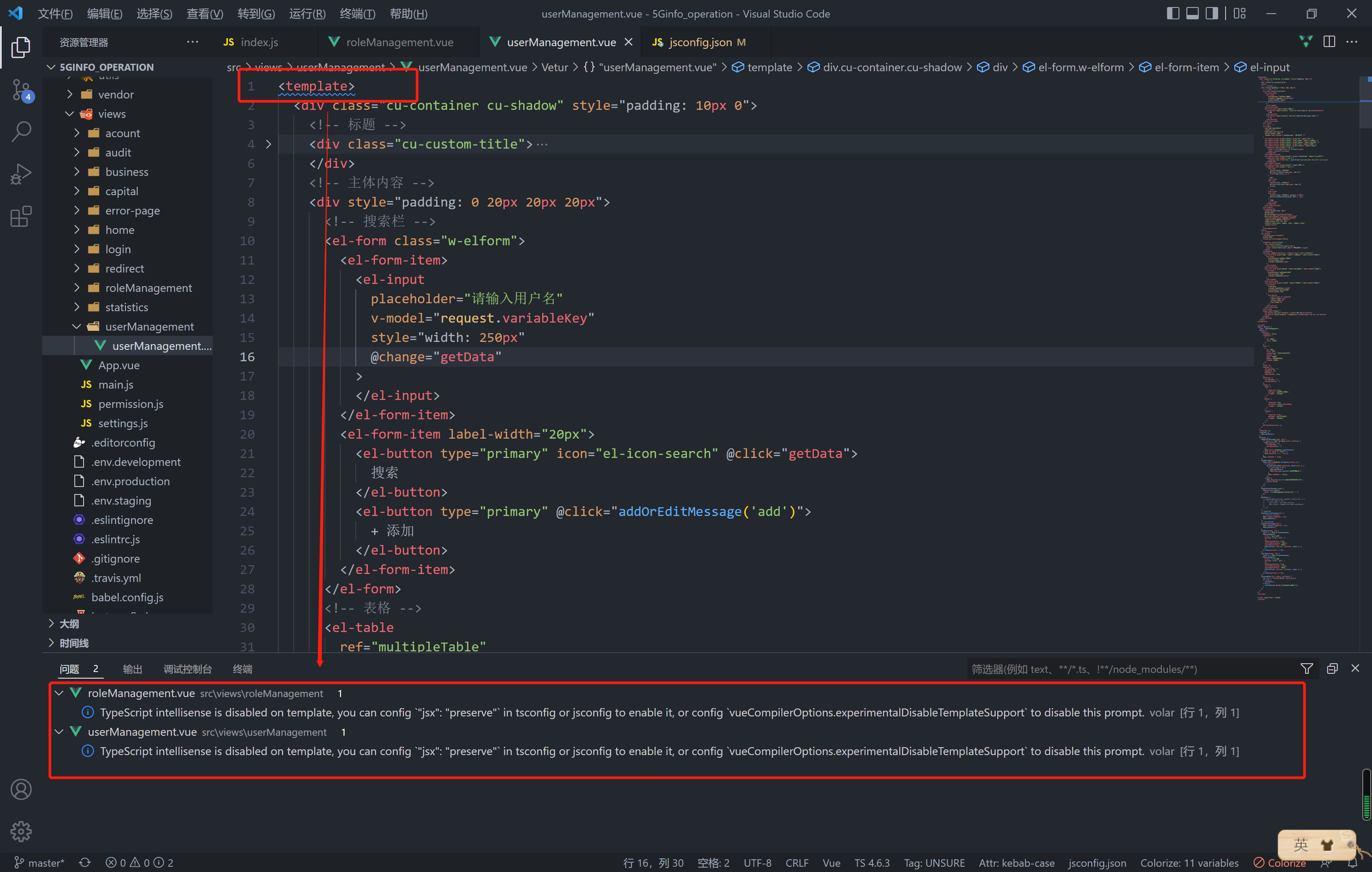
vscode 安装 Vue Language Features (volar) 后出现 :
TypeScript intellisense is disabled on template, you can config “jsx”: “preserve” in tsconfig or jsconfig to enable it, or config vueCompilerOptions.experimentalDisableTemplateSupport to disable this prompt.
解决问题
问题的描述是:TypeScript智能感知在模板中是禁用的,你可以在tsconfig或jsconfig中配置’ “jsx”: “preserve”来启用它,或者配置’ vueCompilerOptions ‘。 使用experimentalDisableTemplateSupport来禁用这个提示。那么我们根据描述解决问题
1 | // 在文件 jsconfig.json 中 |
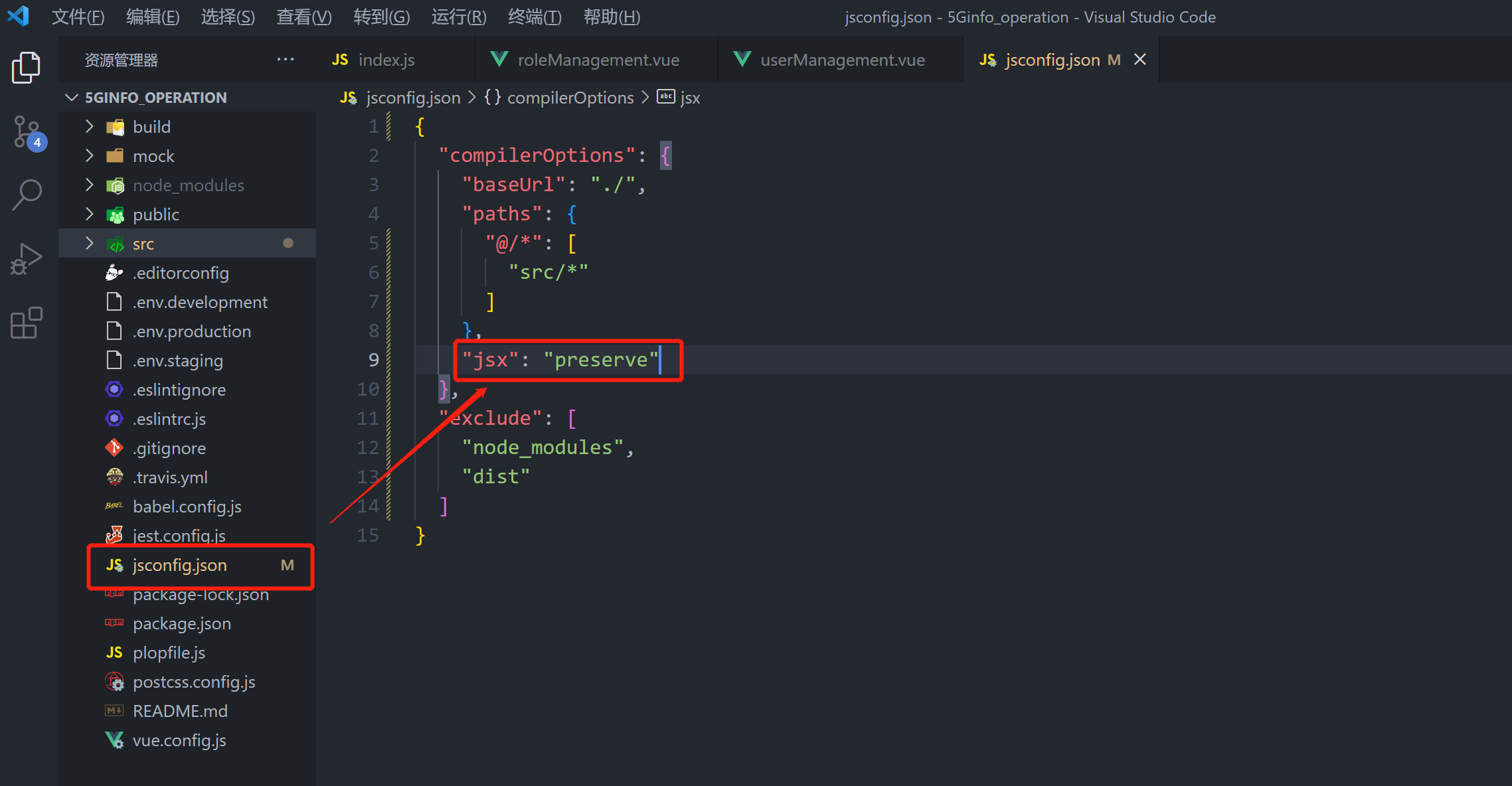
问题得以解决。
如果还会存在问题,可以使用vetur插件格式化文档。将Vue Language Features (volar) 禁用后重启VScode即可。
本博客所有文章除特别声明外,均采用 CC BY-NC-SA 4.0 许可协议。转载请注明来自 欢迎访问shaoin的博客!