
uniapp 给H5网站添加图标favicon.icon
需求介绍
项目上线了,但是没有自己的个性图标怎么行,必须得咱H5导航栏整一个。
解决步骤
新建一个HTML文件
uniapp H5项目生成时本身是没有
index.html等相关HTML文件,而图标又是要在HTML文件中设置。现在我们在根目录下创建一个
count.html文件(文件名按个人喜好来,个人因为关于百度统计方案中创建过这个文件。)给 H5 设置配置
为了让
count.html文件能够被编译,展示。我们可以这样做:
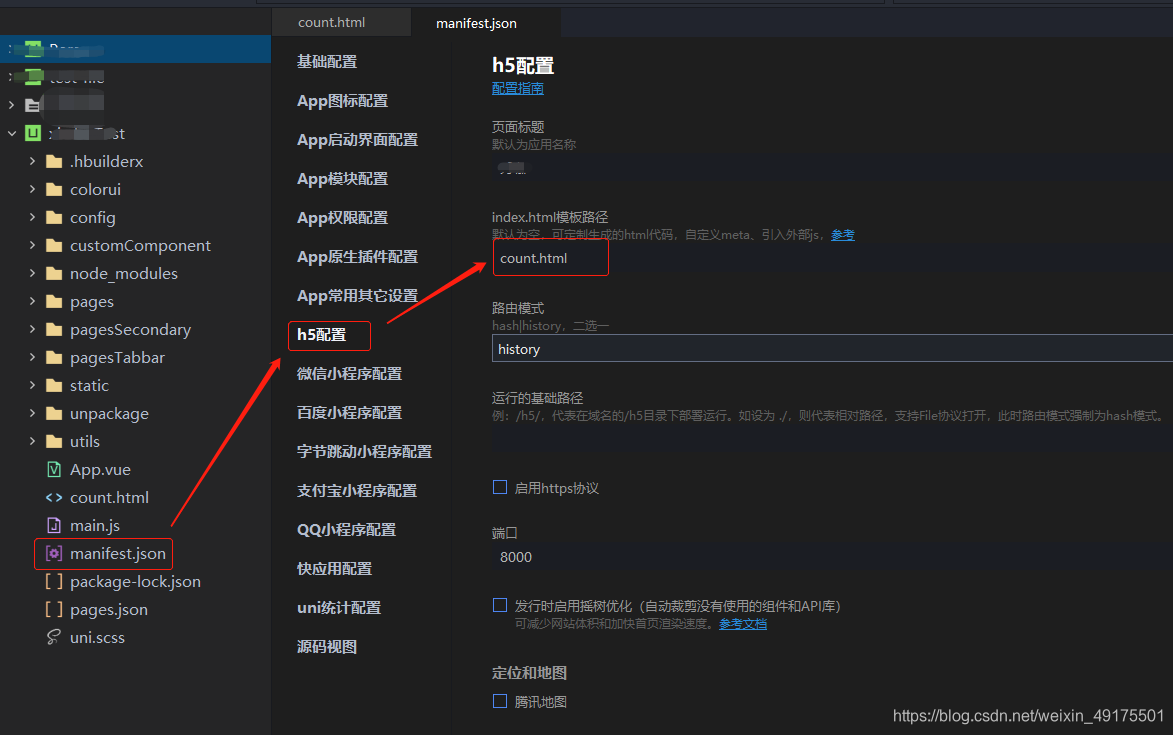
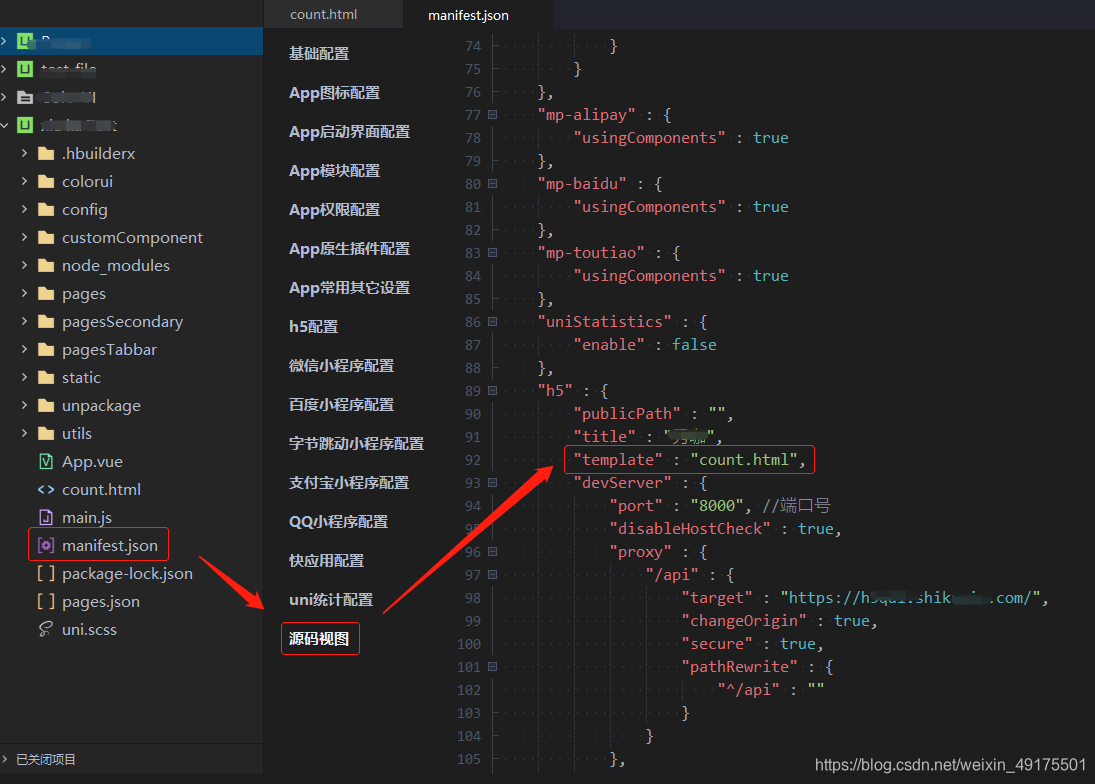
当然也可以直接修改源码视图:
编写 count.html 内容
1
2
3
4
5
6
7
8
9
10
11
12
13
14
15
16
17
18
19
20
21
22
23<html lang="zh-CN">
<head>
<meta charset="utf-8">
<meta http-equiv="X-UA-Compatible" content="IE=edge">
<meta name="viewport" content="width=device-width, user-scalable=no, initial-scale=1.0, maximum-scale=1.0, minimum-scale=1.0">
<title>
<%= htmlWebpackPlugin.options.title %>
</title>
<script>
document.addEventListener('DOMContentLoaded', function() {
document.documentElement.style.fontSize = document.documentElement.clientWidth / 20 + 'px'
})
</script>
<link rel="stylesheet" href="<%= BASE_URL %>static/index.css" />
<link rel="icon" href="../static/images/favicon.png" />
</head>
<body>
<noscript>
<strong>Please enable JavaScript to continue.</strong>
</noscript>
<div id="app"></div>
</body>
</html>添加 favicon.png 图片
从第3步的代码中:
1 | <link rel="icon" href="../static/images/favicon.png" /> |
大家可以知道我将图片放在了根目录下的 static/images/ 中
项目重新编译就可以看到了:

本博客所有文章除特别声明外,均采用 CC BY-NC-SA 4.0 许可协议。转载请注明来自 欢迎访问shaoin的博客!