@[toc]
项目需求
uniapp 开发 H5 过程中会有邀请、分享等相关的需求。邀请与分享的 url地址 要以 二维码 的形式进行展示,并且 url地址 是动态可变化。
解决问题
1. qrious.js插件
在 npm 中有一个叫 Qrious 二维码生成插件;
1
| npm install qrious --save
|
2. 简单认识 qrious 配置参数
| 参数 |
类型 |
默认值 |
说明 |
| value |
String |
空 |
需要编码为二维码的值、url字符 |
| size |
Number |
100 |
二维码的尺寸,单位像素 |
| level |
String |
L |
二维码的误差校正级别(L, M, Q, H) |
| mime |
String |
image/png |
二维码输出为图片时的MIME类型 |
| foreground |
String |
black |
二维码的前景颜色 |
| background |
String |
white |
二维码的背景颜色 |
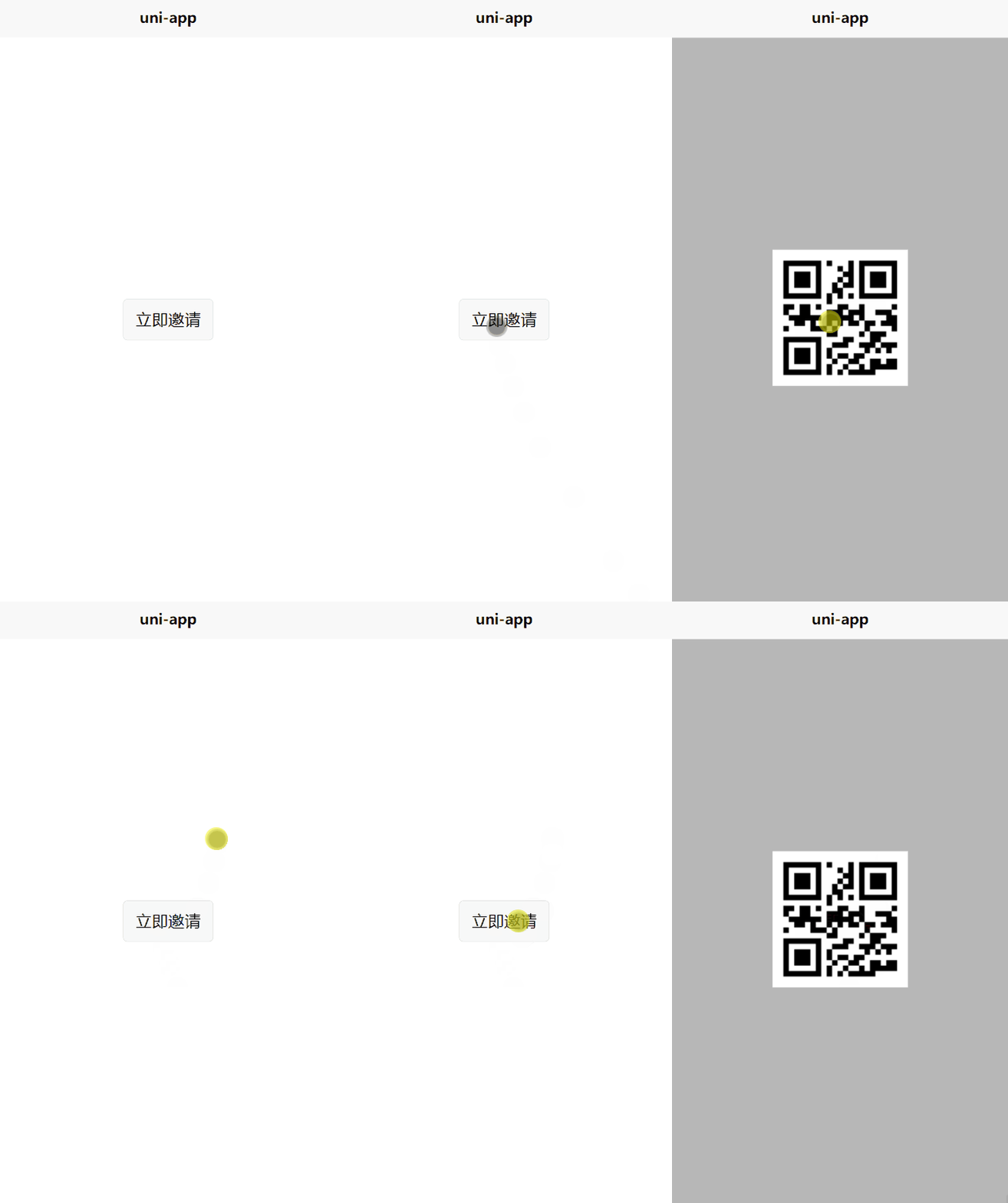
3.现实二维码生成
话不多说看代码:
1
2
3
4
5
6
7
8
9
10
11
12
13
14
15
16
17
18
19
20
21
22
23
24
25
26
27
28
29
30
31
32
33
34
35
36
37
38
39
40
41
42
43
44
45
46
47
48
49
50
51
52
53
54
55
56
57
| <template>
<view class="content">
<view class="popup" v-if="show">
<view style="position: relative;" @tap="show = false">
<image :src="qrCodeImage" class="custom-qrcode" />
</view>
</view>
<button @tap="getQriousCode" v-else>立即邀请</button>
</view>
</template>
<script>
import Qrcode from 'qrious';
export default {
data() {
return {
title: 'Hello',
show: false,
qrCodeImage: ''
}
},
methods: {
getQriousCode() {
this.show = true;
let qr = new Qrcode({
value: "www.baidu.com"
});
this.qrCodeImage = qr.toDataURL();
},
}
}
</script>
<style>
.content {
position: relative;
display: flex;
flex-direction: column;
align-items: center;
justify-content: center;
height: 100%;
width: 100%;
}
.popup {
height: 100%;
width: 100%;
display: flex;
flex-direction: column;
align-items: center;
justify-content: center;
background: rgba(135, 135, 135, 0.6);
}
.custom-qrcode {
width: 300rpx;
height: 300rpx;
}
</style>
|
4. 核心代码
根据需求改变相关参数,获得想要的结果。
1
2
3
4
5
6
7
8
9
10
11
12
| getQriousCode() {
this.show = true;
let qr = new Qrcode({
value: "https://blog.csdn.net/weixin_49175501",
background:'white',
foreground:'#8dc63f' ,
level:'L',
size:200 ,
mime:'image/png'
});
this.qrCodeImage = qr.toDataURL();
},
|